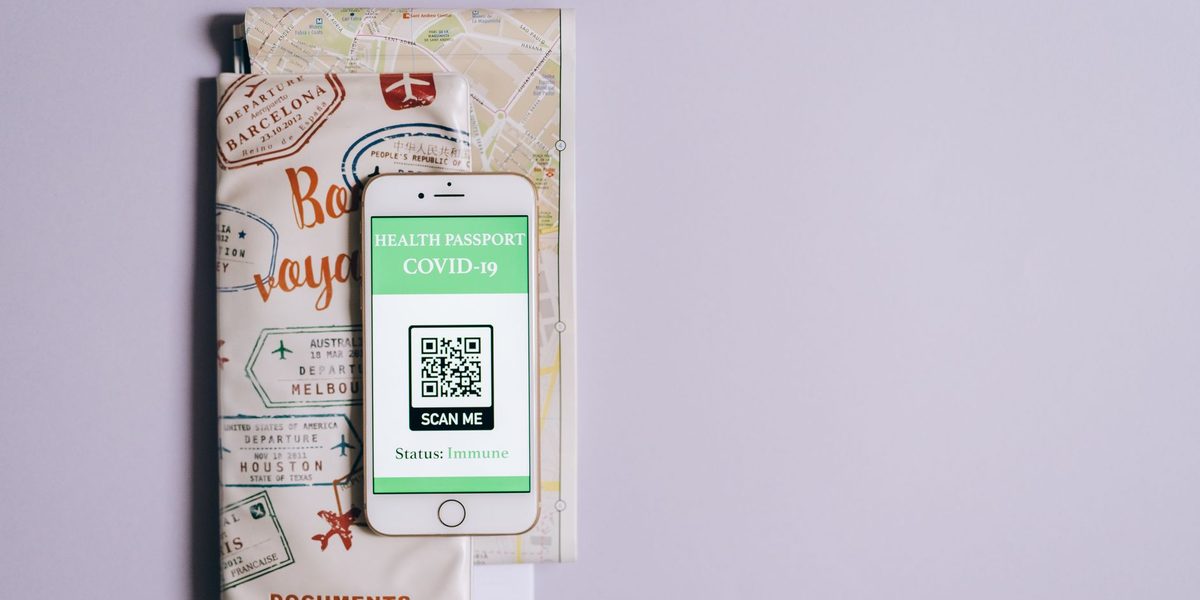
Somewhere in a drawer at home lives the old way of traveling: a plastic folder fat with printed confirmations, photocopied passports, paper maps, and a highlighted itinerary that was out of date before the first flight boarded. The new way fits in a pocket and updates itself. A phone, prepared with intention, now handles every document, map, translation, and reservation a trip can generate, and handles them better than paper ever did, searchable, backed up, and impossible to leave in a seat pocket. But paperless travel done casually fails at the worst moments: the dead battery at the gate, the confirmation buried in an inbox, the map that needed signal exactly where signal died. The difference is a system, and the system takes one evening to build.
Give Every Confirmation One Home
The foundational rule of digital trip organization is brutal simplicity: everything lives in one place. Bookings scatter naturally, flights in one app, lodging in another, tours in a third inbox, and the scattered version of your trip means every checkpoint becomes a frantic inbox search. Choose a single container, a dedicated trip-planning app that ingests confirmation emails, a notes document, or a folder system, and forward every confirmation into it the moment it arrives, as a reflex.
Whatever container you choose, build a one-page master itinerary at the top: dates, flight numbers and times, lodging names with full street addresses, confirmation codes, and the phone numbers that matter. This page is the trip's spine, and building it takes ten minutes once the confirmations are gathered. It answers ninety percent of questions, taxi drivers, check-in desks, border officials, immigration forms, without opening a single email, and it is the page a companion can navigate from if your phone is the one that fails.
Make Everything Work Offline First
The paperless traveler's real enemy is not lost paper; it is lost connectivity, and the moments you most need your documents, airplane mode, foreign arrival halls, rural roads, underground trains, are precisely the moments signal disappears. The rule that follows: anything you might need urgently must live on the device, not in the cloud. Screenshot every boarding pass and ticket QR code the moment it is issued; a screenshot renders instantly and needs no network, no app refresh, and no login.
- Offline maps: download your destination's map region before departure, including transit layers where offered, and star your lodging and key locations in advance.
- Offline translation: download the language packs for your route so menus, signs, and conversations translate without signal.
- Offline copies of the master itinerary and every confirmation, saved to the device rather than living solely in email.
- Entertainment and reading downloaded, because flights and trains are exactly where streaming is not.
The test of the system is simple and worth actually running: put the phone in airplane mode at home and walk through your whole trip, boarding, arrival, directions, check-in. Whatever fails in your living room would have failed in the arrivals hall.
Carry Your Documents Twice, Securely
Passports, identification, insurance policies, prescriptions, and vaccination records deserve digital copies, and those copies deserve real security, since a phone loaded with document scans is a target if it goes missing. Photograph or scan each document clearly, then store the copies in an encrypted or access-protected location: a password manager's secure storage, an encrypted notes vault, or a protected cloud folder with strong authentication. Avoid leaving passport scans loose in the camera roll or in ordinary email, where a stolen, unlocked phone surrenders them instantly.
Add a second layer of redundancy in a different location: copies accessible through a cloud account you can reach from any computer, so that losing the phone itself does not mean losing the copies. Share access with a trusted person at home for true emergencies. Digital copies do not replace the physical passport, but at a police station or embassy they collapse a bad week into a manageable day, and the encrypted version protects you in both directions.
Treat Battery as a Document
In a paperless system, the battery is not a convenience; it is the filing cabinet, the wallet, and the map, and its death is the system's death. Plan power like you plan packing. A pocket power bank travels in the daypack every single day, not just travel days, topped up nightly. Cables and a plug adapter for the destination live permanently in the tech pouch. On heavy navigation days, battery-saving habits, lower brightness, offline maps instead of live streaming, closing the camera when idle, stretch the margin considerably.
Build the habit of opportunistic charging: the café stop, the train seat with a socket, the twenty minutes at the gate. And keep the boarding-pass screenshot accessible even in low-power mode, since the moments of lowest battery and highest document need have a mystical tendency to coincide. Travelers who treat charge level as casually as they once treated a paper folder eventually learn the lesson at a gate; the prepared ones never do. If two people travel together, stagger your batteries deliberately, one phone navigating while the other rests, so the pair of you never reach empty at the same moment.
Share the Trip, Coordinate the Group
Digital organization compounds when traveling with others. Share the master itinerary document with every member of the party and with someone reliable at home, so a delayed connection or a lost phone never makes you the single point of failure. Shared photo albums collect everyone's pictures in one place as the trip happens instead of through months of afterward nagging. Location sharing among the group, enabled deliberately and by consent, turns lost-in-the-market moments from phone-call chaos into a glance.
For couples and groups splitting bookings, shared folders keep every confirmation visible to everyone who might stand at a desk needing it. The principle is the same one that governs the whole system: information that lives in exactly one head, or one device, is information waiting to cause a problem. Set the sharing up before departure, when everyone is relaxed and connected, rather than negotiating app permissions over a spotty connection in a taxi queue; five minutes at home covers the entire trip.
Keep a Minimal Paper Fallback, Because Systems Fail
Full paperlessness is a spectrum, and the last few percent are not worth chasing. A single folded sheet in the daypack, the master itinerary printed small, with lodging addresses, confirmation codes, and two emergency phone numbers, weighs nothing and survives every failure mode a phone has: theft, water, dead battery, cracked screen, forgotten password. Some situations also simply prefer paper; a handful of border and visa processes still expect printed onward-travel evidence, so check your specific route's requirements before deciding the printer is fully retired.
Think of the sheet as the parachute, packed, ignored, and cheap, hoped never to be used. The travelers who carry it are not paperless purists; they are systems thinkers, and redundancy is what systems thinkers do.
Final Thoughts
Paperless travel is not about abandoning paper; it is about replacing a folder of static pages with a system that is searchable, duplicated, and always in your pocket. One home for every confirmation, offline-first copies of anything urgent, encrypted document scans stored twice, battery managed like the critical infrastructure it is, everything shared with the people who need it, and one humble printed sheet as the parachute. Build it once, the evening before departure, and every trip after inherits it, lighter, calmer, and immune to the drawer of doom where the old plastic folder still lives.